Shared search · Sep 13, 2026
Can Last Database support business audience research for campaigns?
Possibly—but I can’t verify Last Database’s specific features from the available information.
For business audience research, it would need to provide relevant B2B data, such as:
- Company size, industry, location, and revenue
- Decision-maker roles and contact details
- Technology usage or buying signals
- Audience segmentation and list filtering
- Data export or integrations with CRM/ad platforms
- Data freshness, accuracy, privacy compliance, and opt-out handling
These capabilities support campaign tasks such as defining ideal customer profiles, building account lists, segmenting prospects, personalizing messaging, and measuring campaign reach. B2B audience data commonly combines firmographic, demographic, intent, and technographic attributes 5.
Before using Last Database, confirm whether it supports research and insights or only contact-list generation. Also request sample records, update frequency, coverage by market, consent/compliance documentation, and campaign activation options. Data quality matters: accuracy, freshness, depth, and breadth all affect targeting performance 3.
Related
How can Last Database data be prepared for CRM systems?
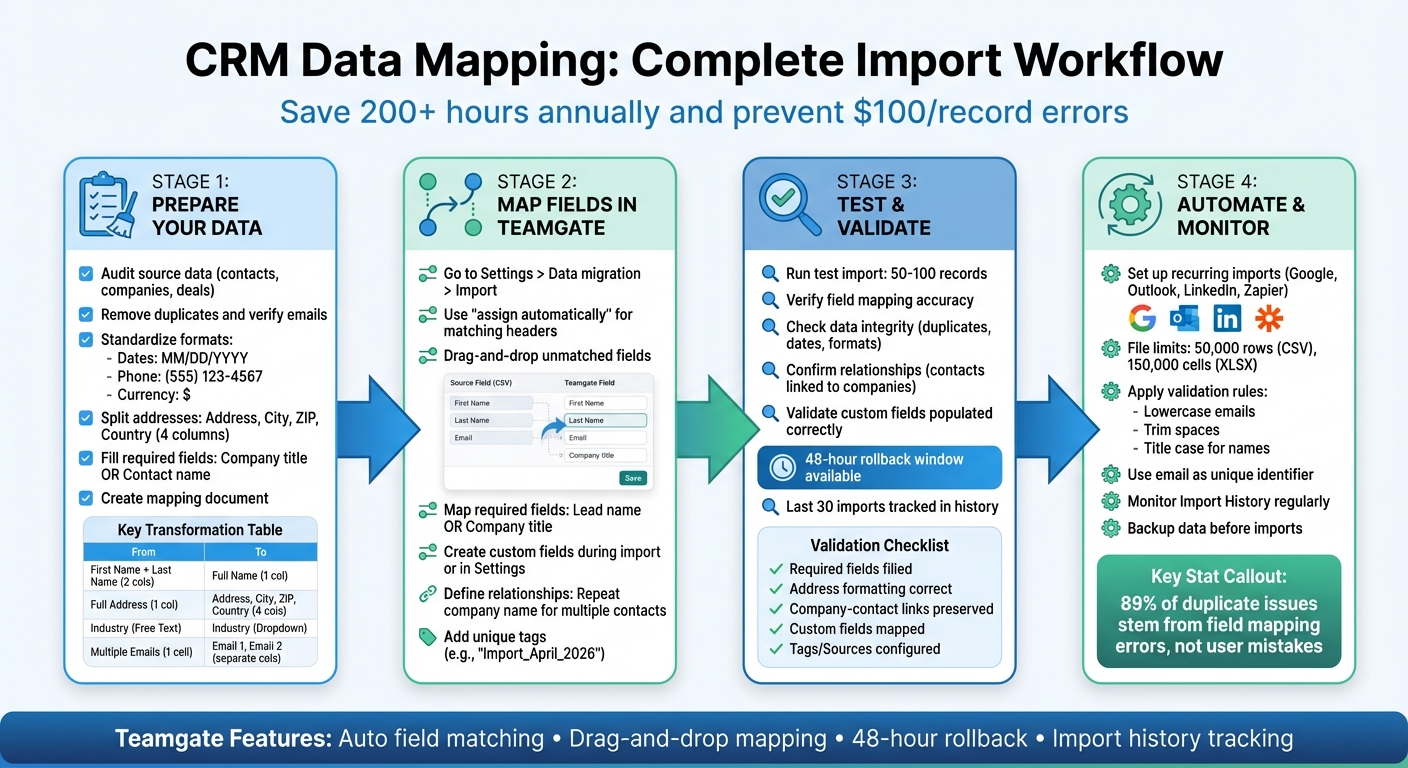
LastDatabase data can be prepared for CRM systems through a staged import and validation workflow:
-
Define the CRM schema first
Map LastDatabase fields to your CRM’s objects—typically Lead/Contact, Account/Company, and possibly custom fields such as industry, employee count, job title, technology, source, and intent signals. LastDatabase recommends narrowing searches with filters such as country, industry, job title, and company attributes.12
-
Export or retrieve the data
Use a supported LastDatabase export or API workflow. Its API documentation covers authentication, search, and usage limits, while the API is intended for accessing B2B lead and business data. -
Normalize the fields
- Standardize country and state names
- Convert phone numbers to international format
- Normalize company names and websites
- Split full names into first, middle, and last names
- Extract company domains from email addresses
- Standardize job titles, industries, employee ranges, and revenue bands
These steps make matching, segmentation, and CRM reporting more reliable.
5
-
Validate contact and company information
Check email deliverability, domain validity, company status, job-title relevance, and whether the person still works at the listed organization. Treat unverifiable records as needing review rather than automatically importing them. -
Deduplicate before importing
Match contacts using combinations such as email address, LinkedIn URL, name + company domain, and accounts using normalized domain, legal name, or company ID. Decide which source wins when duplicate records contain conflicting values. Deduplication is a core CRM-cleaning step because duplicate records can split activity history and distort reporting.1
3
-
Add governance and campaign fields
Include fields such as:Field Purpose sourceIdentify LastDatabase as the provider source_record_idSupport updates and traceability date_acquiredTrack data age last_verified_atShow freshness consent_or_legal_basisSupport compliance review do_not_contactRespect suppression lists campaign_idAttribute campaign activity -
Import in a test batch
Upload a small sample first, verify field mapping, ownership, associations, required fields, lead routing, and automation. Then import the remaining records using the CRM’s native importer or API. CRM platforms commonly support field/property selection and associated company records during exports and integrations.13
-
Maintain the data after import
Schedule periodic verification, suppress bounced or opted-out contacts, and update changed roles or companies. CRM data decays over time, so preparation should be an ongoing process rather than a one-time cleanup.2
Recommended pipeline:
LastDatabase export/API → staging table → normalization → validation → deduplication → compliance screening → test import → CRM sync
LastDatabase’s public API search result confirms API access, but it does not establish that every CRM has a native connector. Confirm the exact export format, available identifiers, API update mechanisms, rate limits, and compliance documentation before building an automated sync. 9
Related
How can Last Database data be organized before CRM import?
Last Database data should be organized in a staging file or database before it reaches the CRM. Treat the staging layer as the place for cleanup, mapping, review, and audit—not the CRM itself.
Recommended structure
1. Separate records by CRM object
Create separate tables or worksheets for:
- Companies/accounts: company name, website/domain, industry, employee count, revenue, country, address
- People/contacts: first name, last name, title, email, phone, LinkedIn URL, company key
- Campaign or intent data: audience segment, campaign, interest signal, source, acquisition date
- Relationship tables: contact-to-company links and, if needed, contact-to-campaign links
This preserves relationships during import; migration projects often fail when contact, company, and deal associations are not maintained. 2
2. Create a field-mapping dictionary
For every Last Database field, document:
| Source field | CRM field | Format | Required? | Transformation |
|---|---|---|---|---|
| Company name | Account name | Text | Yes | Trim spaces; standardize suffixes |
| Website | Company domain | URL/domain | Recommended | Lowercase; remove tracking parameters |
| Job title | Title | Text or picklist | No | Map to standardized role categories |
| Country | Country | Picklist | Yes | Convert to CRM-approved values |
| Recommended | Lowercase; validate syntax | |||
| Source record ID | External ID | Text | Yes | Preserve unchanged |
A data dictionary should specify each field’s meaning, type, allowed values, source priority, and transformation rule. 5
3. Normalize values
Standardize:
- Email case and whitespace
- Phone numbers into international format
- Country, state, and region names
- Company names and domains
- Job titles and industry categories
- Dates, currencies, employee ranges, and revenue bands
Keep the original Last Database values in separate original_ columns when a transformation may need review. Do not turn missing or unverified values into false defaults. 5
4. Add stable identifiers
Retain:
- Last Database’s original record ID
- Company domain or other company identifier
- Contact email, where appropriate
- CRM record ID after import
- Source, import batch, and verification date
These identifiers make repeat imports, updates, and troubleshooting safer.
5. Deduplicate in stages
Use exact matches first:
- Contacts: email, normalized phone, or source ID
- Companies: domain, legal identifier, or normalized company name
Then place uncertain matches—such as similar names at the same company—into a manual-review queue rather than merging automatically. Keep a merge log recording the surviving record, merged records, decision, and date. 4
5
6. Add operational and compliance fields
Useful additional columns include:
source = Last Databasesource_record_iddate_acquiredlast_verified_atdata_confidencesegmentcampaignownerlifecycle_stageconsent_statusdo_not_contactimport_batch
This allows the CRM team to filter, route, suppress, and audit records after import.
7. Use import-ready files
Export separate files—or CRM-specific tabs—with:
- One row per record
- One column per field
- Consistent headers
- No merged cells or formulas
- No duplicate header rows
- CRM-approved picklist values
- A clear unique key
- Blank values left blank rather than filled with guesses
Import companies first, then contacts linked by company domain or external company ID. Test a small batch before the full upload and reconcile record counts, errors, duplicates, owners, and company-contact relationships afterward. Trial imports and reconciliation are recommended safeguards for CRM migrations. 5
6
Simple workflow:
Last Database → staging table → normalize → deduplicate → review → map to CRM → test import → full import → reconcile
The exact Last Database fields and export options should be confirmed from its current documentation; the organization above is a CRM-preparation framework rather than a claim that every listed field is available from Last Database.
Related
How can lastdatabase.com records be mapped to CRM fields?
Map lastdatabase.com records to CRM fields by first matching the record type, then mapping each source column to a standard or custom CRM field.
1. Map the record type first
| LastDatabase record | CRM object |
|---|---|
| Person/contact | Contact or Lead |
| Business/company | Account or Company |
| Job or buying signal | Lead activity, custom field, or campaign member |
| Search/list metadata | Lead source, campaign, or segmentation fields |
LastDatabase supports targeting by country, industry, job title, company attributes, and communication channel, so these values can become CRM segmentation and qualification fields. 1
2. Create a field-mapping table
| LastDatabase field or value | CRM field | Transformation |
|---|---|---|
first_name | First Name | Trim spaces; preserve capitalization |
last_name | Last Name | Trim spaces |
full_name | First Name / Last Name | Split only if separate name fields are unavailable |
job_title | Title | Preserve original; optionally add a normalized role field |
email | Lowercase and validate | |
phone | Phone | Convert to the CRM’s international format |
company_name | Account/Company Name | Standardize punctuation and suffixes |
website or domain | Website / Company Domain | Lowercase; remove tracking parameters |
industry | Industry | Convert to the CRM’s permitted picklist |
country | Country | Match the CRM’s exact country values |
employee_count | Number of Employees | Convert text ranges to numbers or an approved range |
revenue | Annual Revenue | Convert to numeric currency |
linkedin_url | LinkedIn URL | Store in a custom URL field if needed |
| Search category or list name | Segment/Campaign | Preserve as a campaign or audience label |
| LastDatabase record ID | External ID | Keep unchanged for updates and deduplication |
| Source | Lead Source | Set to LastDatabase |
LastDatabase describes its data as including business email, phone, executive-contact, company, industry, country, and API-access capabilities, but the exact export column names should be confirmed for the specific dataset. 4
3. Handle fields that do not match directly
- Full name: split into first and last name, but retain the original in
original_full_name. - Job title: keep the original title in
Title; add a normalized field such asDepartment,Seniority, orRole Category. - Industry: translate LastDatabase categories into the CRM’s picklist values; do not import unsupported labels unchanged.
- Employee or revenue ranges: either preserve them as text or convert them consistently into numeric minimum, maximum, or range fields.
- Search filters: store them as
Audience,List Name,Campaign, orAcquisition Criteria, rather than forcing them into a contact field. - Unmapped data: place it in approved custom fields or an archive table; do not discard it silently.
A mapping document should identify source fields, destination fields, data types, required status, allowed values, and transformation rules before import. 5
4. Preserve company-contact relationships
Import or upsert companies first, using the company domain or a stable external company ID. Then link contacts to those companies using the same key. If the CRM supports only leads at first, retain the company key so leads can later be converted or associated with accounts.
5. Add control fields
Useful CRM fields include:
Lead Source = LastDatabaseLastDatabase Record IDImport BatchDate AcquiredLast Verified DateData ConfidenceConsent or Legal BasisDo Not ContactOriginal Source URL
LastDatabase itself emphasizes relevant targeting and compliant outreach practices, so source and compliance fields should remain available for auditing and suppression workflows. 4
6. Test the mapping
Before importing everything:
- Export a small sample.
- Map the columns in the CRM import preview.
- Check required fields and picklist values.
- Verify dates, phone numbers, special characters, ownership, and contact-company links.
- Test duplicate handling.
- Compare source and CRM record counts after import.
CRM import tools commonly provide a preview where each source column is aligned with a destination field. 6
Practical rule: preserve the original LastDatabase value, create a cleaned CRM value where necessary, and retain a stable external ID so later imports update existing records instead of creating duplicates.
Related
How can lastdatabase.com data support CRM prospect creation?
LastDatabase data can support CRM prospect creation by supplying targeted contact and company records, then enriching, qualifying, and routing them inside the CRM. LastDatabase lets users search by country, industry, job title, technology, category, and communication channel rather than starting with an undifferentiated database. 7
Suggested workflow
-
Define the ideal prospect profile
- Target industries, countries, company sizes, technologies, and job functions.
- Convert these criteria into CRM fields such as
Industry,Country,Employee Range,Department, andTarget Segment.
-
Build a focused LastDatabase list
- Select relevant companies and decision-makers.
- Use available business emails, phone numbers, job titles, executive contacts, and company information to create contact and account records.
4
-
Create a staging layer
- Export the records or retrieve them through the supported API.
- LastDatabase documents API authentication, search parameters, usage limits, and responsible-integration requirements.
- Keep the original record ID, source, acquisition date, and list name.
-
Validate and enrich before import
- Check email syntax and deliverability.
- Normalize phone numbers, country names, industries, job titles, and company domains.
- Remove duplicates and flag outdated or incomplete records for review. Data quality includes accuracy, freshness, completeness, consistency, deduplication, formatting, and segmentation.
-
Map records to CRM objects
| LastDatabase data | CRM destination |
|---|---|
| Person record | Lead or Contact |
| Company record | Account or Company |
| Job title and seniority | Title, Department, Seniority |
| Industry and country | Account fields and segmentation |
| Email and phone | Contact channels |
| Search/list name | Campaign, Segment, or Lead Source |
| LastDatabase ID | External ID |
| Data-quality or verification date | Custom audit fields |
Import accounts first when possible, then link contacts using the company domain or external company ID.
-
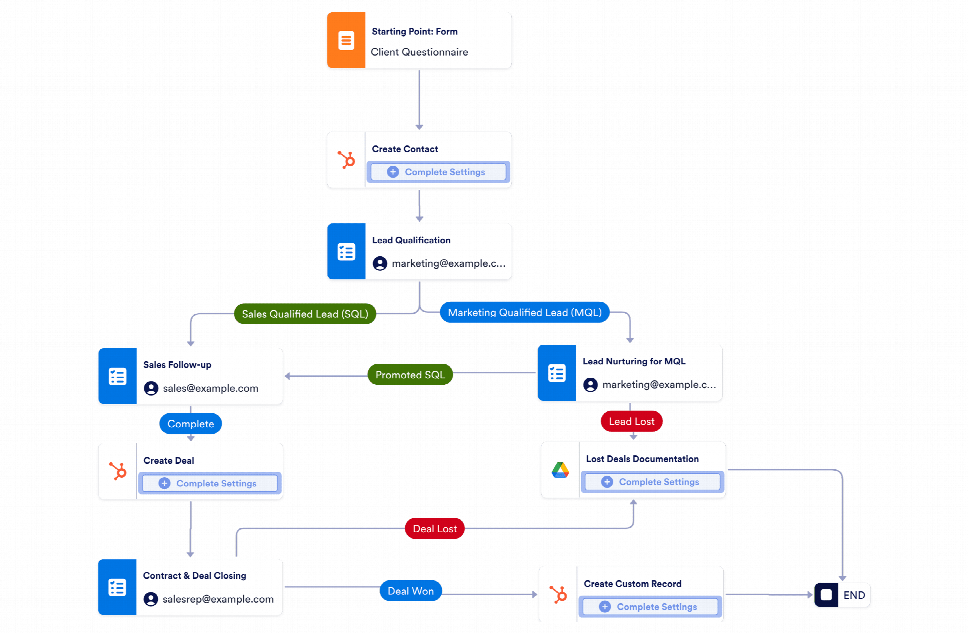
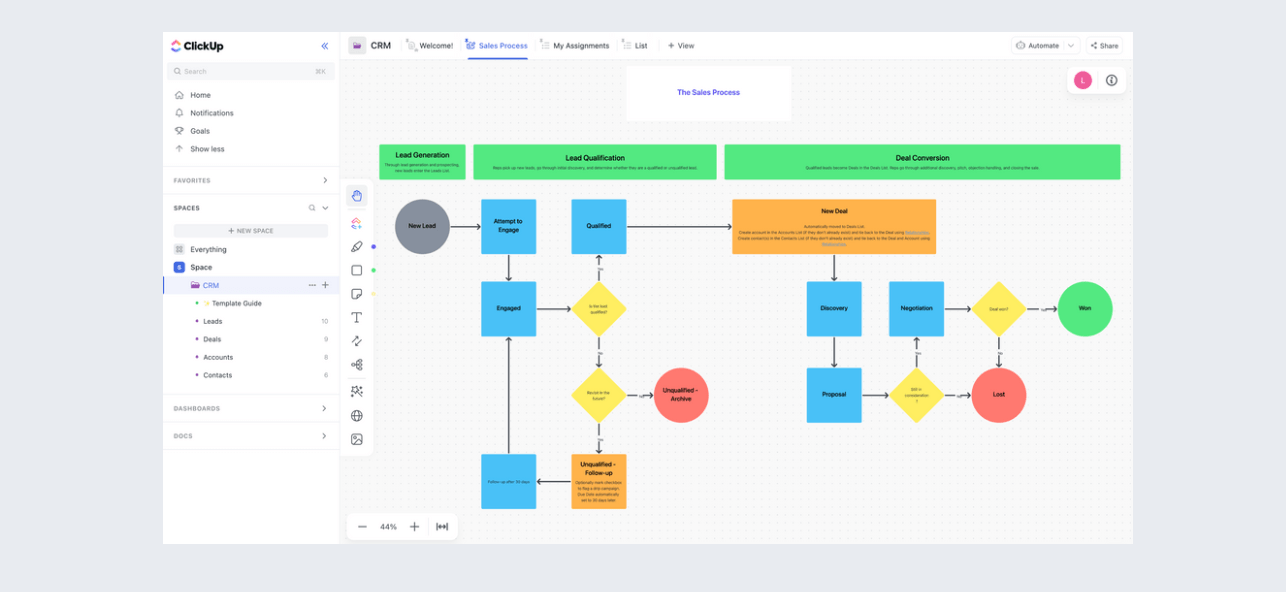
Qualify and prioritize prospects
- Assign an ICP-fit score based on industry, geography, company size, role, and available contact channel.
- Classify records as high, medium, or low priority.
- Route them to the appropriate sales owner, territory, or queue.
-
Launch controlled outreach
- Use role, company, and industry data to personalize email, phone, or social-selling sequences.
- Store campaign membership, consent or suppression status, outreach activity, response, and next action in the CRM.
- Confirm that the intended use and outreach comply with applicable privacy and marketing rules; LastDatabase publishes compliance and privacy guidance for responsible business-data management.
-
Measure and refresh
- Track conversion by source, industry, country, role, campaign, and data segment.
- Remove bounced, invalid, duplicated, or opted-out records.
- Refresh records periodically because contact roles and company details change.
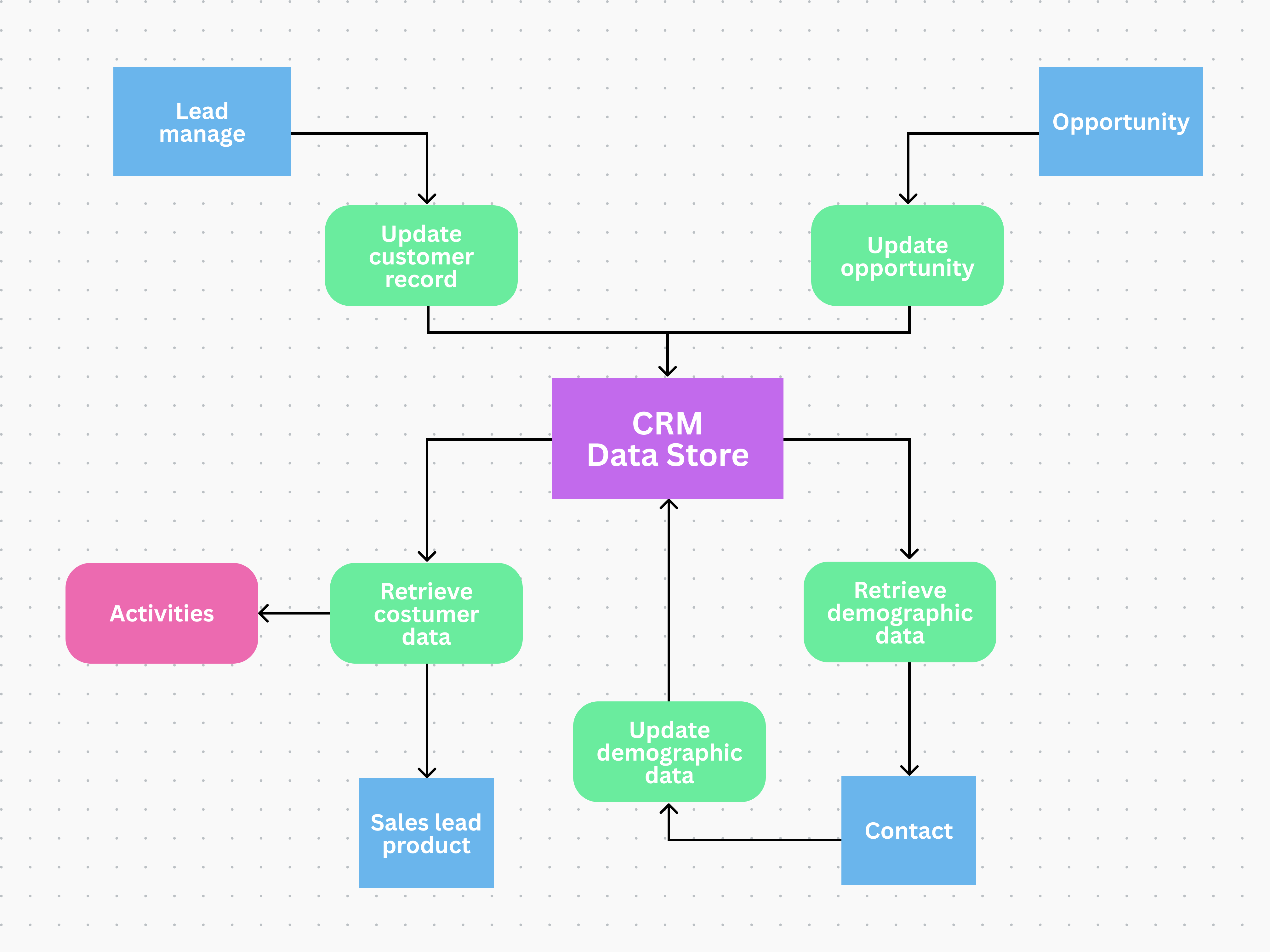
In short: LastDatabase can provide the prospecting input, while the CRM should manage deduplication, scoring, ownership, outreach, activity history, pipeline progression, and reporting. It should not be treated as a substitute for CRM qualification or compliance controls.
Related


Ask your own follow-ups
Komo answers with sources. Pick up this thread in your own history and keep digging.