Shared search · Sep 13, 2026
How can Last Database support sales pipeline development?
LastDatabase can support sales pipeline development primarily as a B2B data and prospecting layer, rather than as a complete CRM.
- Identify target accounts: Build prospect lists using criteria such as industry, location, company size, job title, seniority, or technology usage.
- Find decision-makers: Locate relevant contacts and business details so sales teams can prioritize the people most likely to influence a purchase.
- Improve lead quality: Use structured business data to reduce time spent researching prospects and focus outreach on better-fit accounts. LastDatabase describes its sales data as supporting lead generation and more efficient outreach.
1
- Enrich CRM records: Add company, contact, role, location, and other firmographic information to existing CRM records.
- Support account-based selling: Create segmented account lists for personalized campaigns by industry, geography, or business characteristics.
- Feed outreach workflows: Export prospect data into CRM, sales-engagement, or marketing platforms for sequencing and follow-up. Data quality should be checked before outreach, and applicable privacy and consent rules should be followed.
- Improve pipeline visibility: Combine prospecting data with CRM opportunity data to analyze lead sources, conversion rates, deal stages, and bottlenecks. Sales pipeline systems are most useful when they connect contacts, companies, activities, opportunities, and reporting.
5
Best approach: Use LastDatabase to discover and enrich prospects, then use a CRM to manage qualification, activities, opportunity stages, forecasting, and closed-loop performance reporting. The available information supports LastDatabase’s role in lead generation and outreach, but does not establish that it provides full native CRM or pipeline-management functionality.1
6
Related
How can Last Database support prospect allocation?
Last Database can support prospect allocation by turning a broad prospect pool into organized, fairly distributed sales assignments:
- Segment prospects: Filter by industry, geography, company size, job function, seniority, or other ICP criteria. Prospect databases commonly support these filters to identify matching contacts.
9
- Create territory lists: Allocate prospects by region, country, state, or named account so each salesperson receives the appropriate market.
- Assign by specialization: Route prospects according to industry expertise, product line, customer segment, or sales channel.
- Balance workloads: Distribute similar numbers—or weighted scores—of prospects among representatives based on capacity and expected value.
- Prioritize high-potential accounts: Use firmographic, technographic, intent, or trigger data where available; these signals can help sales teams focus on accounts more likely to be entering a buying cycle.
12
- Prevent duplication: Maintain ownership fields and suppress already-contacted or already-assigned prospects before exporting lists.
- Enrich and validate records: Provide contact and company information for each assigned prospect, while checking data freshness and email accuracy before outreach. Data decay makes verification important for reliable allocation.
5
- Hand off to execution tools: Export or sync assignments to a CRM, sales-engagement platform, or shared workflow so ownership, activity, and follow-up are traceable. Prospecting tools often connect data with CRM and outreach workflows.
4
A practical allocation rule could be:
Territory → account segment → salesperson specialization → workload limit → priority score
Last Database would therefore function mainly as the prospect identification, segmentation, and enrichment layer. A CRM or sales-routing system should remain the system of record for ownership, assignment history, follow-up, and performance reporting. Public sources found here do not confirm Last Database’s specific native routing or assignment features, so those capabilities should be verified with the provider.
Related
How can Last Database help sales managers organize target accounts?
Last Database can help sales managers organize target accounts by serving as a central prospecting and account-research layer:
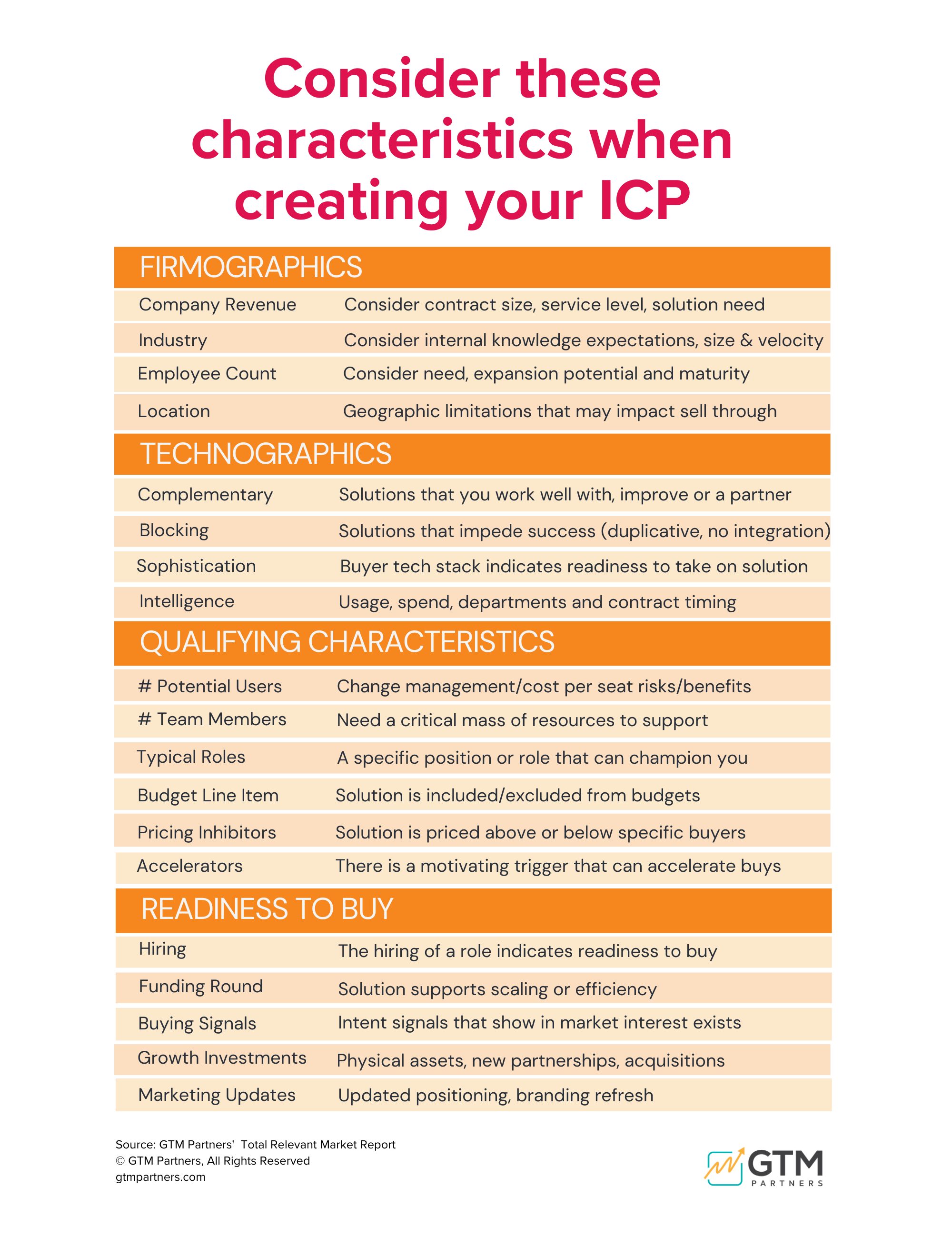
- Build account lists: Filter companies by industry, location, employee count, revenue, technology, or other ideal-customer-profile criteria. These are standard ways sales databases create targeted lists.
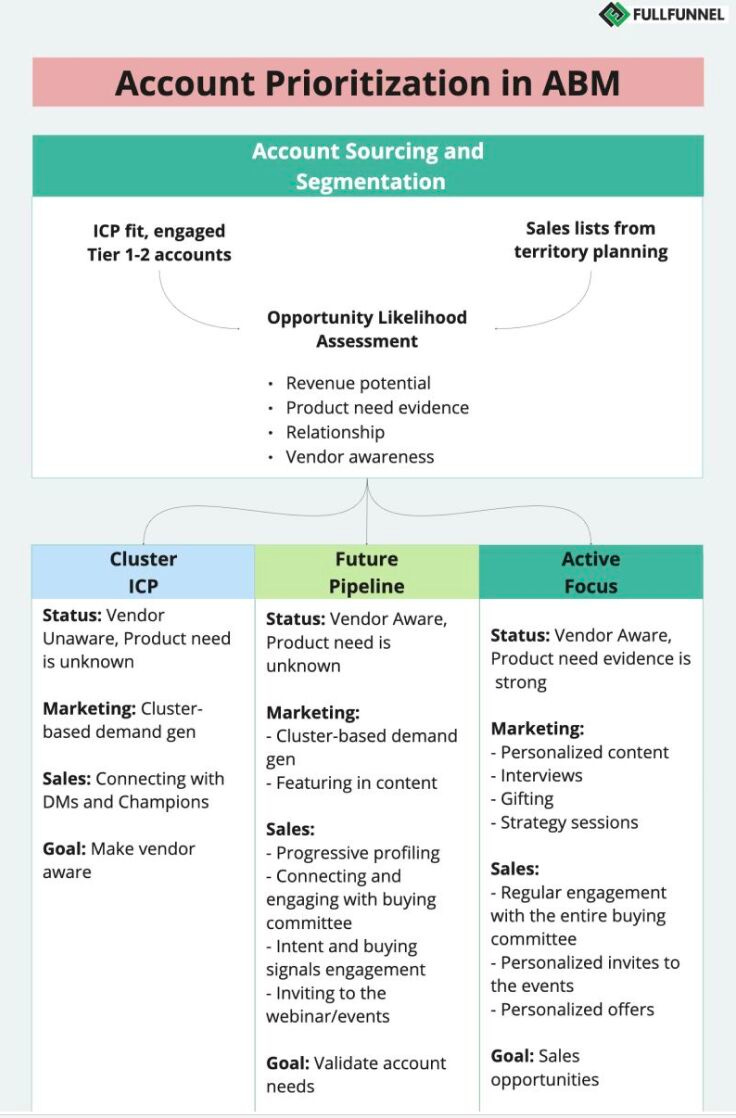
- Segment and tier accounts: Group accounts into Tier 1, Tier 2, and Tier 3 based on fit, revenue potential, strategic importance, engagement, or likelihood to convert. Segmentation helps match sales resources to account value.
1
6
- Create territory views: Organize accounts by geography, industry, company size, or buyer type, then assign each group to a representative or team.
8
- Identify buying-group contacts: Map decision-makers and influencers within each target account so reps can pursue multiple relevant stakeholders rather than relying on a single contact.
- Prioritize account coverage: Add high-value or high-fit accounts to focused lists for account-based selling, while placing lower-priority accounts into automated or lighter-touch programs.
- Reduce duplication: Compare new records against existing CRM accounts, ownership fields, and prior outreach before assigning them.
- Enrich account records: Add current company, role, contact, and technology information, then export or synchronize the organized lists with the CRM or sales-engagement platform where available. Data freshness and verification should be checked before using records operationally.
11
- Monitor coverage: In the CRM, track account owner, status, last activity, next action, opportunity stage, and engagement so managers can identify untouched accounts and gaps.
A useful structure is:
| Field | Example |
|---|---|
| Account tier | Strategic / Growth / Nurture |
| Territory | Northeast / DACH / APAC |
| Segment | Enterprise software |
| Owner | Account Executive 1 |
| Priority | High |
| Key contacts | CFO, CIO, Procurement |
| Status | Unworked / Engaged / Opportunity |
| Next action | Discovery call |
Best practice: Use Last Database to discover, filter, enrich, and organize accounts; use the CRM as the system of record for ownership, activity history, pipeline status, and reporting. Public search results do not verify Last Database’s exact native features—such as account folders, scoring, deduplication, or CRM synchronization—so those capabilities should be confirmed with the provider.
Related
How can lastdatabase.com sales representatives prepare account lists?
Sales representatives can use LastDatabase to prepare focused target-account lists by following this process:
-
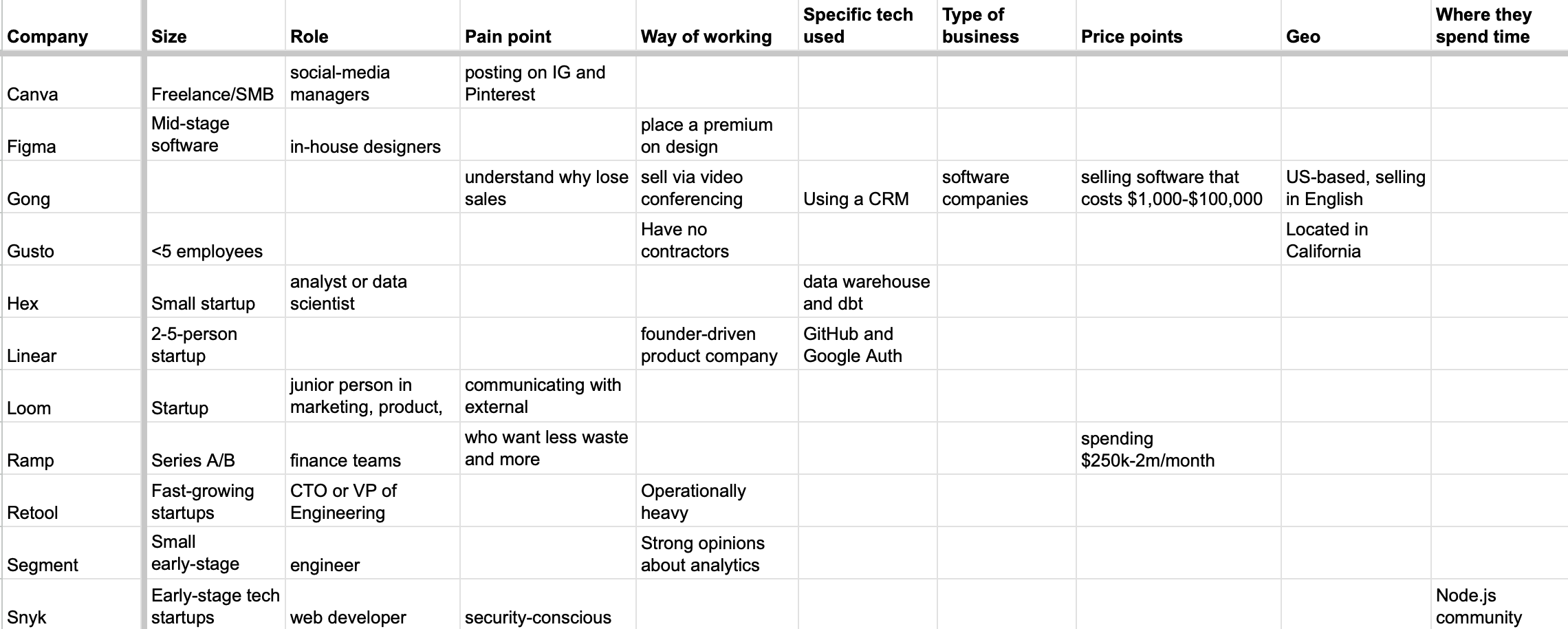
Define the ideal customer profile (ICP). Decide the target countries, industries, company sizes, technologies, and buyer roles before searching. Firmographic and technology data are core inputs for building an ICP-based account list.
3
-
Search by company and market criteria. Use LastDatabase’s available filters for country, industry, city, technology, company, and job title to narrow the database to relevant organizations and contacts.
-
Identify decision-makers. Add relevant executives, directors, managers, or functional buyers within each company. LastDatabase describes its data as including professional names, companies, job titles, emails, phone numbers when available, and industry/location information.
-
Organize accounts into segments. Create separate lists such as:
- Strategic enterprise accounts
- Mid-market growth accounts
- Regional or territory accounts
- Industry-specific accounts
- Technology-specific accounts
- Existing customers and expansion targets
-
Prioritize the accounts. Rank them by ICP fit, revenue potential, territory, urgency, technology compatibility, or buying signals. Segmentation and prioritization help prevent reps from choosing accounts based only on convenience or familiarity.
6
-
Map multiple contacts per account. For important accounts, include several relevant stakeholders—such as an executive sponsor, department leader, technical evaluator, and procurement contact—rather than treating one email address as the whole account.
-
Review and clean the list. Check for duplicate companies, outdated roles, inactive emails, existing CRM ownership, and contacts already being contacted. LastDatabase says field availability varies by dataset, so representatives should review the individual package and available sample data before purchase.
-
Export or integrate the list. Transfer the account and contact data to the CRM or sales-engagement platform, adding fields such as account owner, tier, territory, status, last activity, next action, and campaign. LastDatabase also advertises API access for connecting lead data with CRM or marketing workflows.
A practical list format is:
| Account | Industry | Location | Technology | Contact/Role | Tier | Owner | Next action |
|---|---|---|---|---|---|---|---|
| Company A | SaaS | UK | Salesforce | VP Sales | Tier 1 | Rep 1 | Research buying trigger |
Important: LastDatabase primarily helps with account discovery, filtering, contact identification, and data enrichment. The CRM should remain the source of truth for account ownership, outreach history, opportunities, and follow-up. Reps should also confirm applicable privacy, email-marketing, and business-contact regulations before outreach.
Related




Ask your own follow-ups
Komo answers with sources. Pick up this thread in your own history and keep digging.